
Struggling with signal integrity in your satellite link? Unstable gain can ruin your entire system's performance, costing you time and money. Here’s the fix.
Mastering gain flatness involves controlling gain variations to under 0.5dB1. This prevents amplifier saturation and maintains a high signal-to-noise ratio. The best method is to use isolators at the BUC output and BDC input to correct impedance mismatches, ensuring stable performance.

I remember a young engineer once asked me, "Why is a 1.2dB gain fluctuation a problem? It seems so small." I explained that in the world of high-performance satellite communications, that small number is a very big deal. It can be the difference between a clear, stable connection and a complete signal failure. It's a lesson I've seen play out many times over my 30 years in this field. Let's dig into why these details are so critical and how you can get them under your control for good.
Why is a small 1.2dB gain ripple a big problem for my BUC?
Think your system can handle a small gain ripple? This "small" issue pushes amplifiers into saturation and corrupts your data, leading to costly communication failures.
A 1.2dB gain ripple is a big problem because it causes two major issues. Excess gain saturates your power amplifier, creating intermodulation distortion. A drop in gain lowers the signal-to-noise ratio, dramatically increasing the bit error rate with higher-order modulation schemes.
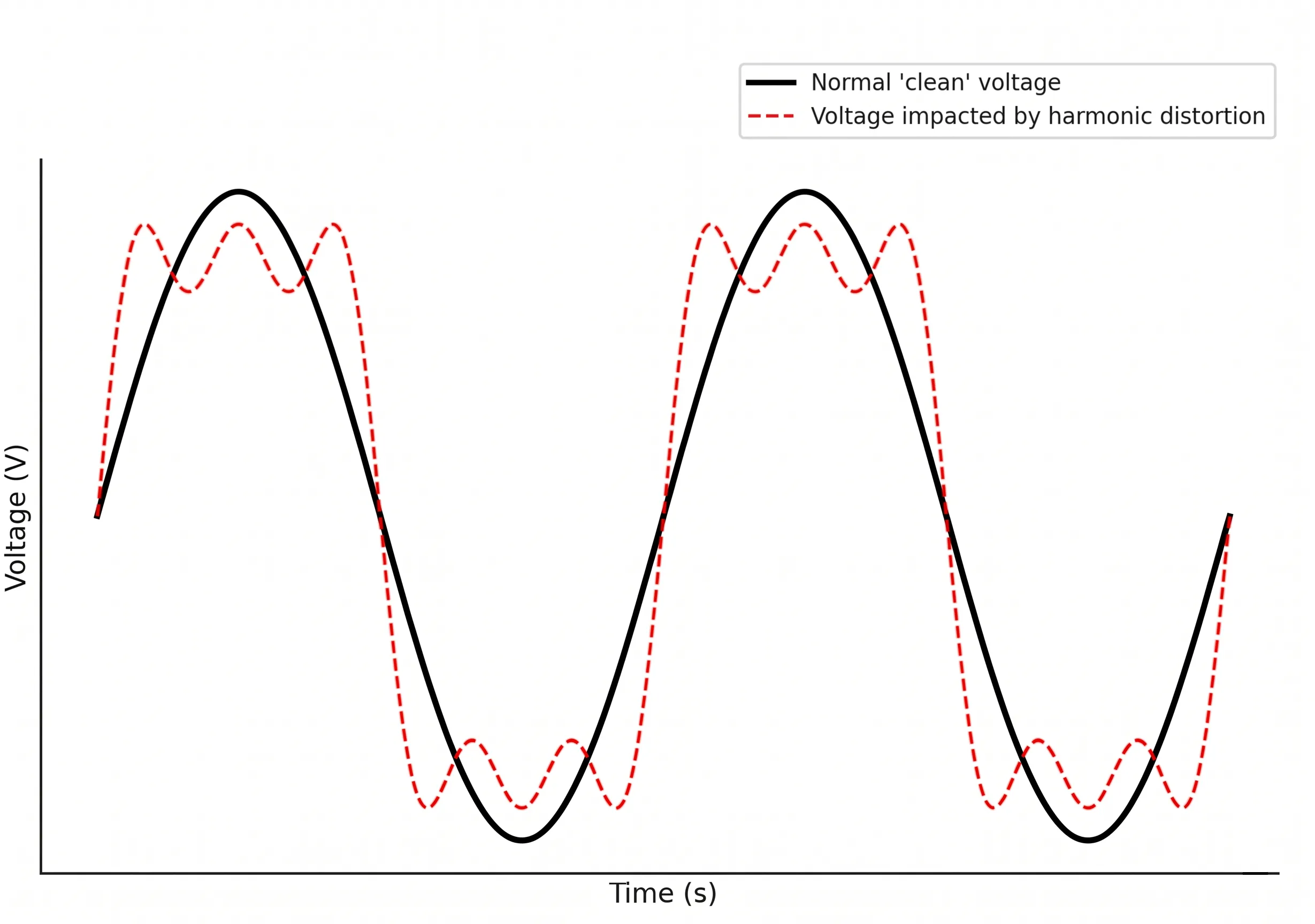
When I explained the problem to that new engineer, I broke it down into two scenarios. Both are bad for business. Imagine your BUC (Block Upconverter) is designed to operate at the edge of its linear range for maximum efficiency. Now, let's see what a 1.2dB gain ripple does.
The Danger of Too Much Gain
When the gain suddenly peaks by 1.2dB, the power amplifier is pushed beyond its linear limit and into saturation2. This instantly creates severe third-order intermodulation (IMD3) products. These are unwanted signals that act like noise and interfere with your main signal and adjacent channels. This distortion directly degrades your Error Vector Magnitude (EVM)3, a key measure of signal quality. For complex modulation schemes like QAM or APSK, a poor EVM means the receiver can no longer tell the difference between signal points, leading to data errors. For our clients in telecom, this means dropped calls and slow data. For defense contractors, it means compromised mission-critical communications.
The Impact of Too Little Gain
Now consider the opposite. The gain dips by 1.2dB. You instantly lose 1.2dB of signal-to-noise ratio (SNR)4. That might not sound like much, but for a high-data-rate link using a modulation like 32APSK, the effect is catastrophic. The Bit Error Rate (BER) doesn't just get a little worse; it can increase exponentially. A link that was operating perfectly with a BER of 10⁻⁷ might suddenly jump to 10⁻³, which is thousands of times worse.
| Gain State | SNR Impact | BER (for 32APSK) | cURL Too many subrequests by single Worker invocation. To configure this limit, refer to https://developers.cloudflare.com/workers/wrangler/configuration/#limits |
|---|---|---|---|
| Nominal Gain | Reference | < 10⁻⁷ (Excellent) | Clean data transmission |
| +1.2dB Peak | cURL Too many subrequests by single Worker invocation. To configure this limit, refer to https://developers.cloudflare.com/workers/wrangler/configuration/#limits | cURL Too many subrequests by single Worker invocation. To configure this limit, refer to https://developers.cloudflare.com/workers/wrangler/configuration/#limits | Amplifier saturation, high EVM |
| -1.2dB Dip | -1.2dB | > 10⁻³ (Unusable) | Massive data loss |
This is why a flat gain response is non-negotiable.
What is the main cause of poor gain flatness?
Can't find the source of your gain variations? Chasing this problem without knowing the root cause wastes engineering hours and delays projects. The answer is often simpler than you think.
以下を main cause of poor gain flatness is impedance mismatch5 between different stages in your RF chain. This mismatch creates reflections that interfere with the signal, causing ripples in the frequency response. I've found this accounts for about 70% of the gain variation issues we see.

cURL Too many subrequests by single Worker invocation. To configure this limit, refer to https://developers.cloudflare.com/workers/wrangler/configuration/#limits.
cURL Too many subrequests by single Worker invocation. To configure this limit, refer to https://developers.cloudflare.com/workers/wrangler/configuration/#limits
cURL Too many subrequests by single Worker invocation. To configure this limit, refer to https://developers.cloudflare.com/workers/wrangler/configuration/#limits.
cURL Too many subrequests by single Worker invocation. To configure this limit, refer to https://developers.cloudflare.com/workers/wrangler/configuration/#limits
cURL Too many subrequests by single Worker invocation. To configure this limit, refer to https://developers.cloudflare.com/workers/wrangler/configuration/#limits.
| VSWR | cURL Too many subrequests by single Worker invocation. To configure this limit, refer to https://developers.cloudflare.com/workers/wrangler/configuration/#limits | cURL Too many subrequests by single Worker invocation. To configure this limit, refer to https://developers.cloudflare.com/workers/wrangler/configuration/#limits | cURL Too many subrequests by single Worker invocation. To configure this limit, refer to https://developers.cloudflare.com/workers/wrangler/configuration/#limits |
|---|---|---|---|
| 1.0:1 | cURL Too many subrequests by single Worker invocation. To configure this limit, refer to https://developers.cloudflare.com/workers/wrangler/configuration/#limits | 0% | cURL Too many subrequests by single Worker invocation. To configure this limit, refer to https://developers.cloudflare.com/workers/wrangler/configuration/#limits |
| 1.5:1 | cURL Too many subrequests by single Worker invocation. To configure this limit, refer to https://developers.cloudflare.com/workers/wrangler/configuration/#limits | 4.0% | cURL Too many subrequests by single Worker invocation. To configure this limit, refer to https://developers.cloudflare.com/workers/wrangler/configuration/#limits |
| 2.0:1 | cURL Too many subrequests by single Worker invocation. To configure this limit, refer to https://developers.cloudflare.com/workers/wrangler/configuration/#limits | 11.1% | cURL Too many subrequests by single Worker invocation. To configure this limit, refer to https://developers.cloudflare.com/workers/wrangler/configuration/#limits |
| 3.0:1 | cURL Too many subrequests by single Worker invocation. To configure this limit, refer to https://developers.cloudflare.com/workers/wrangler/configuration/#limits | 25.0% | cURL Too many subrequests by single Worker invocation. To configure this limit, refer to https://developers.cloudflare.com/workers/wrangler/configuration/#limits |
cURL Too many subrequests by single Worker invocation. To configure this limit, refer to https://developers.cloudflare.com/workers/wrangler/configuration/#limits.
How can an isolator fix impedance mismatch and improve gain flatness?
cURL Too many subrequests by single Worker invocation. To configure this limit, refer to https://developers.cloudflare.com/workers/wrangler/configuration/#limits.
cURL Too many subrequests by single Worker invocation. To configure this limit, refer to https://developers.cloudflare.com/workers/wrangler/configuration/#limits.

cURL Too many subrequests by single Worker invocation. To configure this limit, refer to https://developers.cloudflare.com/workers/wrangler/configuration/#limits, cURL Too many subrequests by single Worker invocation. To configure this limit, refer to https://developers.cloudflare.com/workers/wrangler/configuration/#limits6, cURL Too many subrequests by single Worker invocation. To configure this limit, refer to https://developers.cloudflare.com/workers/wrangler/configuration/#limits.
Placement and Selection are Key
For maximum effect, you should place an isolator at the RF output of your BUC, right before the antenna feed. For the receive chain, an isolator at the RF input of the BDC is equally important to protect the sensitive Low Noise Amplifier (LNA) from reflections.
When choosing an isolator, you must consider:
- Frequency Range: It must cover your BUC or BDC's operating band.
- Isolation: This tells you how well it blocks reverse signals. You should look for at least 20dB of isolation7.
- Insertion Loss: This is how much signal is lost going through it. Lower is better, typically under 0.5dB. For a high-power BUC, every tenth of a dB counts.
- Power Handling: The isolator must be able to handle the full output power of your BUC. At Safari Microwave, we offer isolators that work with our 3000-watt BUCs, so this is a critical spec.
By adding the right isolator, you are not just patching a problem; you are fundamentally improving the stability and reliability of your entire system. The amplifier operates happily, distortion is minimized, and your link budget becomes much more reliable.
結論
Precise gain flatness is not a luxury; it is essential for reliable satellite communication. Using isolators to manage impedance mismatch is the key to achieving this stability and performance.
"[PDF] AMPLIFIER GAIN, GAIN FLATNESS AND POWER MEASUREMENTS", https://tjr-lab.mit.edu/wp-content/uploads/2025/02/Rohde-Schwarz-Amplifier-Gain-gain-flatness-and-PWR-msmts-v03.pdf?x79376. A source may provide context on industry standards or typical performance requirements for gain flatness in satellite communication systems, where values are often specified to be within a fraction of a decibel (dB) across the operating frequency band. Evidence role: general_support; source type: paper. Supports: The source should discuss typical gain flatness requirements for satellite communication components like Block Upconverters (BUCs).. Scope note: The exact value of 0.5dB may vary depending on the specific application, frequency band, and system performance requirements. ↩
"What Is Intermodulation Distortion - An Engineers Guide - Keysight", https://www.keysight.com/used/us/en/knowledge/guides/intermodulation-distortion-guide. Sources in RF engineering explain that when an amplifier's input signal is large enough to drive it into its nonlinear region, the output signal contains not only an amplified version of the input but also unwanted spectral components, including intermodulation products. Evidence role: mechanism; source type: education. Supports: The source should explain how operating a power amplifier beyond its linear region (into saturation or compression) generates nonlinear effects like intermodulation distortion (IMD).. ↩
"Error vector magnitude - Wikipedia", https://en.wikipedia.org/wiki/Error_vector_magnitude. A source can show that Error Vector Magnitude (EVM) is a comprehensive measure of signal quality that is degraded by any phenomenon that causes the received symbols to deviate from their ideal constellation points, including noise and nonlinear distortions like IMD. Evidence role: mechanism; source type: paper. Supports: The source should explain how unwanted signals, such as intermodulation products, affect the constellation diagram of a digitally modulated signal, leading to a higher EVM.. ↩
"Signal-to-noise ratio - Wikipedia", https://en.wikipedia.org/wiki/Signal-to-noise_ratio. A source can confirm that, assuming the noise floor remains constant, a decrease in the gain applied to a signal will result in a corresponding decrease in the output signal power, thereby reducing the signal-to-noise ratio by the same amount in decibels (dB). Evidence role: mechanism; source type: education. Supports: The source should explain the definition of signal-to-noise ratio and how changes in system gain affect the signal power component of that ratio.. Scope note: This assumes the gain variation occurs after the point where the dominant system noise is established. ↩
"Impedance matching - Wikipedia", https://en.wikipedia.org/wiki/Impedance_matching. RF engineering texts explain that when a signal encounters an impedance discontinuity, a portion of the signal is reflected. This reflected wave travels back and interferes with the forward wave, causing frequency-dependent variations in amplitude known as gain ripple. Evidence role: mechanism; source type: education. Supports: The source should explain how reflections caused by impedance mismatches interfere constructively and destructively at different frequencies, creating ripples in the system's gain response.. ↩
"Isolator (microwave)", https://en.wikipedia.org/wiki/Isolator_(microwave). Technical sources explain that many microwave isolators operate based on the principle of Faraday rotation in a magnetized ferrite material, which rotates the polarization of a forward-traveling wave in such a way that it passes through the output port, while a reverse-traveling wave is rotated into a resistive load and absorbed. Evidence role: mechanism; source type: education. Supports: The source should explain how a static magnetic field applied to a ferrite material causes Faraday rotation, which is used to create a non-reciprocal path for RF signals.. ↩
"RF Circulator Isolator Circulators and Isolators from RFMW", https://www.rfmw.com/manufacturer/rfci/circulators-and-isolators?srsltid=AfmBOor-805ylIu-jE-Ilx-WeRtBb8IbkScOgZFr1yEzNNhxvueLx1-J. A review of component datasheets or application notes from isolator manufacturers can show that 20 dB is a common and effective level of isolation specified for many applications, providing a significant reduction in reflected power. Evidence role: general_support; source type: other. Supports: The source should discuss typical performance specifications for commercially available or commonly used RF isolators.. Scope note: The required isolation is application-dependent; while 20 dB is a common benchmark, some sensitive systems may require more. ↩

 Japanese
  English
  Spanish
  French
  Arabic
  Vietnamese
  Indonesian
  Hindi
Hindi  Danish
  Bulgarian