
Struggling to find a signal in the noisy 2.4GHz band? With so much interference from Wi-Fi and Bluetooth, isolating your target can feel impossible. I will guide you through it.
To find a 2.4GHz1 signal's exact frequency, use a spectrum analyzer2. Set the center frequency to 2.45GHz with a 100MHz span. Lower the Resolution Bandwidth (RBW)3 to isolate signals and use a marker to measure the frequency of the highest peak on the display.
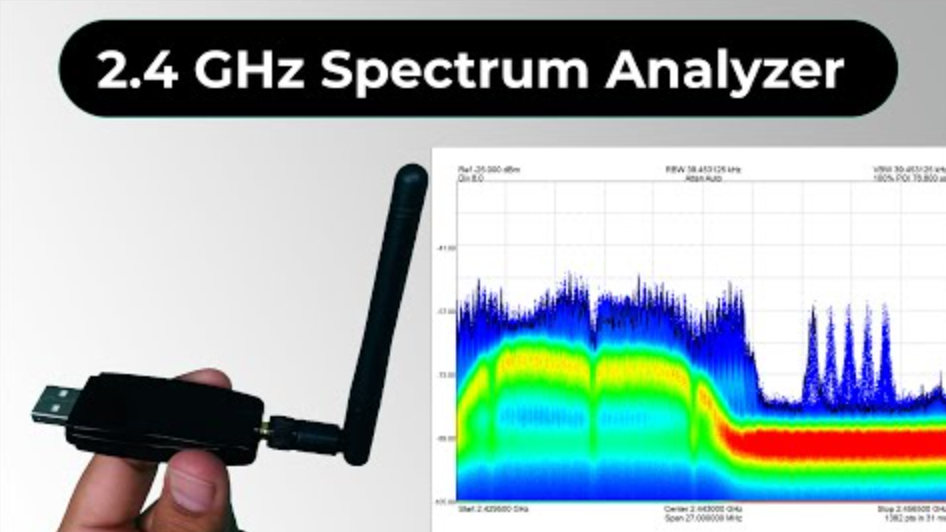
I often get questions like this from customers. Even though my company focuses on manufacturing RF components4, our engineers are also users in the field. We have faced these same challenges ourselves, and we enjoy sharing what we've learned over the years. This process might sound simple, but getting the details right is the key to getting a clear and accurate result. Before we dive into the specific steps, let's first make sure you have the right gear for the job.
What tools do you need to start decoding RF signals?
Ready to analyze RF signals but unsure what tools you need? Choosing the wrong equipment is a costly mistake that won't get you the right results. I'll give you a clear list.
The primary tool is a spectrum analyzer2. You also need an antenna designed for the 2.4GHz band and high-quality RF cables (e.g., SMA) to connect the antenna to the analyzer. These three items form the basic kit for any RF signal analysis.
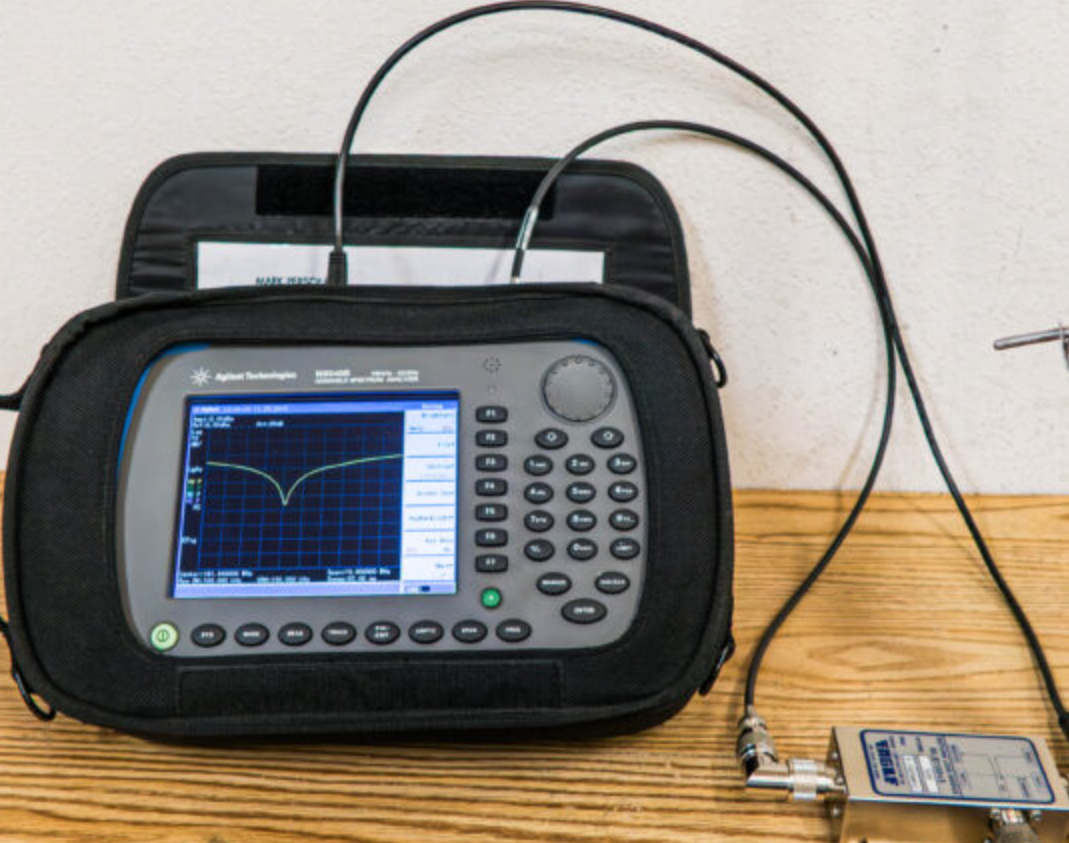
Let's look at each of these tools more closely. Choosing the right one for your budget and needs is the first step. I remember when I first started, I tried to cut corners on cables, and it caused me hours of frustration trying to find a signal that was being lost before it even reached my analyzer.
The Core Tools for Signal Hunting
Your success depends almost entirely on three pieces of hardware.
- Spectrum Analyzer: This is the heart of your setup. It's a device that measures and displays signal strength5 again6st frequency. Think of it as a pair of eyes that can see invisible radio waves. You can find budget-friendly options like USB-based Software Defined Radios (SDRs)7, which are great for learning. For professional work, a dedicated benchtop analyzer8 offers much better performance in terms of sensitivity and speed.
- Antenna: The antenna is your ears. It captures the RF energy from the air. For 2.4GHz, a simple "rubber ducky" dipole antenna works for general purposes. But if you are hunting for a weak or distant signal, a directional antenna9 like a Yagi or patch antenna will work much better.
- Cables and Adapters: These are the nerves connecting everything. Never underestimate the importance of good cables. A cheap, lossy cable can kill your signal. Look for low-loss coaxial cables10 with the correct connectors, which are usually SMA type for this frequency range.
Here is a table to help you compare your options.
| Tool | Budget-Friendly Option | Professional-Grade Option | Key Thing to Consider |
|---|---|---|---|
| Spectrum Analyzer | USB-based SDR (e.g., RTL-SDR, HackRF) | Benchtop Analyzer (e.g., Keysight, R&S) | Frequency Range, Resolution Bandwidth (RBW)3 |
| Antenna | Omnidirectional Dipole Antenna | Directional Yagi or High-Gain Patch Antenna | Gain, Directionality, and Frequency Match |
| Cables | Standard RG58 Coaxial Cable | Low-Loss LMR-400 or similar cable | Signal Loss (dB per meter), Connector Quality |
How do you correctly set up a spectrum analyzer?
You're looking at your spectrum analyzer, but all you see is a screen full of noise. You cannot find your signal in the chaos. I will explain the key settings to configure.
First, set the Center Frequency to 2.45 GHz and the Span to 100 MHz to view the entire ISM band11. Then, adjust the Reference Level until the signal peak is near the top. Finally, lower the Resolution Bandwidth (RBW)3 to separate individual signals from noise.
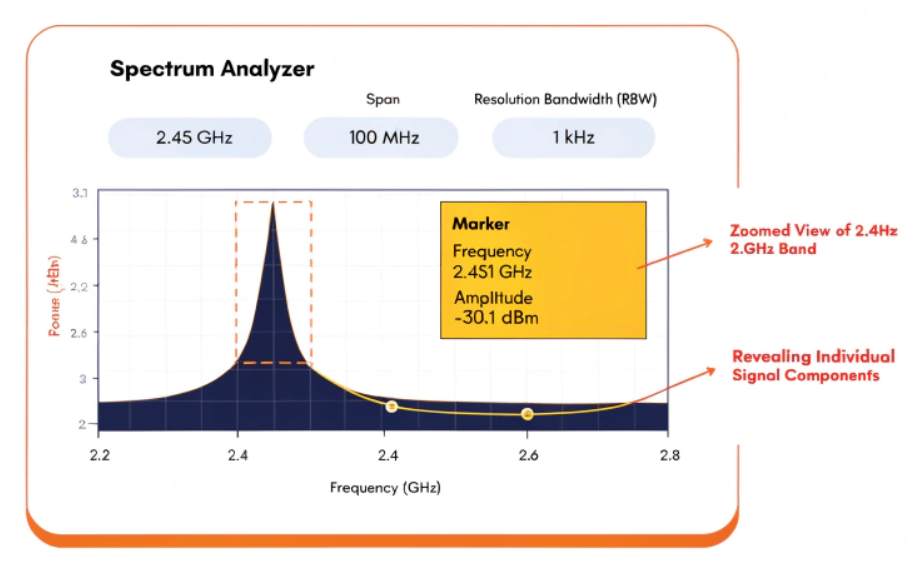
Getting these settings right is more of an art than a science at first, but you will quickly get a feel for it. I think of it like tuning a manual radio. You have to adjust the dial carefully to find the station and then fine-tune it to get clear audio. A spectrum analyzer is very similar, but the feedback is visual. The goal is to make your target signal stand out clearly from everything else. Let's break down the three most important settings you'll use.
Mastering the "Big Three" Settings
Your ability to find a signal comes down to how well you can manipulate three main parameters on your analyzer.
Center Frequency and Span
Think of this as the zoom and pan function on a camera. The Center Frequency is where you point your view, and the Span is how wide your view is. To find a 2.4GHz signal, a good starting point is a center frequency of 2.45 GHz and a span of 100 MHz. This shows you the whole unlicensed band from 2.4 GHz to 2.5 GHz. Once you see a signal of interest, you can decrease the span and adjust the center frequency to "zoom in" on it for a closer look.
Reference Level
This sets the power level of the top line on your screen's vertical axis. If your signal is too high and goes off the screen, you need to increase the reference level. If it's too low and buried in the noise at the bottom, you decrease the reference level. Adjusting this setting ensures your signal is nicely framed on the display. It often works with the internal attenuator to prevent strong signals from overloading the analyzer's sensitive input.
Resolution Bandwidth (RBW)
This is the most critical setting for clarity. The RBW is like the size of the lens you're looking through. A smaller RBW gives you a sharper, more detailed view, allowing you to separate signals that are very close together in frequency. However, a small RBW also means a slower sweep time. A larger RBW is faster but can blur weak signals or adjacent signals together. You must find a balance.
| Setting | What It Controls | Decreasing the Value Means... | Increasing the Value Means... |
|---|---|---|---|
| Span | The width of the frequency window you see. | You zoom in on a smaller frequency range. | You zoom out to see a wider range. |
| RBW | The "fineness" of the measurement filter. | Better signal separation, but slower sweep. | Faster sweep, but poorer signal separation. |
| Reference Level | The power level at the top of the screen. | The whole trace moves down on the screen. | The whole trace moves up on the screen. |
What common challenges will you face and how do you overcome them?
You have set everything up, but your signal is weak, unstable, or hidden by another one. This is a common and frustrating problem. I'll explain these issues and how to fix them.
For a weak signal, use a Low Noise Amplifier (LNA)12. For unstable signals that jump around, use the "Max Hold" function to capture its full bandwidth. To pull a signal out of noise, lower your RBW and enable trace averaging to smooth the display.
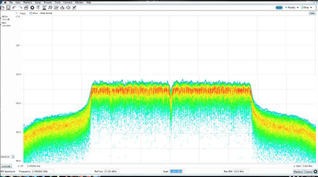
Every RF engineer has been there. You know a signal exists, but you just can't get a clean lock on it. The 2.4GHz band is especially difficult because it's a shared space. It's like trying to hear one person's whisper in a loud, crowded room. The good news is that your spectrum analyzer has special functions to handle these exact situations. I have spent countless hours troubleshooting these problems, and the solutions are usually quite simple once you know what to look for.
Common Problems and Their Solutions
Let's go over the three most frequent issues and their fixes.
Problem: The Signal is Too Weak
Sometimes your signal is below the analyzer's noise floor, making it invisible. The solution is to amplify it. You can do this by placing a Low Noise Amplifier (LNA) in line between your antenna and your spectrum analyzer. An LNA boosts the power of everything it receives, but its key feature is that it adds very little noise of its own. This increases the signal-to-noise ratio13, making your weak signal "pop" out from the noise floor. Our company manufactures LNAs for this very purpose, and they are essential for professional signal hunting14.
Problem: The Signal is Jumping Frequencies
If you see a signal that appears for a split second and then disappears, or seems to be jumping all over the place, you are likely looking at a frequency-hopping spread spectrum (FHSS)15 signal. Bluetooth is a perfect example of this. To see it, you need to use the "Max Hold" function on your analyzer. This function keeps the highest power level measured at each frequency point on the screen. Over a few seconds, it will "paint" a picture of the full range of frequencies the signal is using.
Problem: A Strong Signal is Hiding Your Weak Signal
What if your signal is right next to a very strong Wi-Fi channel? The strong signal can overwhelm the analyzer and hide your target. The first step here is to decrease your Resolution Bandwidth (RBW). A smaller RBW narrows the analyzer's focus, allowing it to distinguish between two signals that are very close together. You can also use Trace Averaging, which averages multiple sweeps together. This smooths out random noise while keeping steady signals like yours clear and stable.
Conclusion
Finding a 2.4GHz1 signal is about having the right tools, mastering key settings like RBW, and knowing how to troubleshoot common issues. I hope this practical guide helps you succeed.
Explore the various applications of the 2.4GHz band to enhance your knowledge. ↩
Understanding spectrum analyzers is crucial for effective RF signal analysis. ↩
Learn how RBW affects signal clarity and measurement accuracy. ↩
Understanding RF components is essential for effective signal hunting. ↩
Understanding signal strength measurement is key to effective analysis. ↩
Understanding gain is crucial for selecting the right antenna for your needs. ↩
Explore SDRs as budget-friendly options for learning RF analysis. ↩
Discover the benefits of professional-grade analyzers for serious work. ↩
Understanding directional antennas can enhance your signal hunting capabilities. ↩
Choosing the right coaxial cables is essential for minimizing signal loss. ↩
Explore the importance of the ISM band in wireless communications. ↩
Discover how LNAs can significantly improve weak signal detection. ↩
A good grasp of SNR is vital for effective signal analysis. ↩
Explore various techniques to improve your signal hunting skills. ↩
Learn about FHSS to better understand certain RF signal behaviors. ↩

 Breton
  English
  Spanish (Spain)
  Arabic
  French (France)
  Vietnamese
  Indonesian
  Belarusian
  Moroccan Arabic
  Tibetan
  Danish
  Bulgarian
  Bosnian
  Catalan
  Frisian
  Japanese
  Bashkir
  Cebuano
  French (Belgium)
  Estonian
  Hindi
Hindi  Kurdish
  Tahitian
  Spanish (Colombia)
  Croatian
  Georgian